PICK YOUR SESSION
Find a day you have time for
Have a spare minute? Pick a Quick Win for a day with fewer photos. Choose a Cozy Review or Deep Dive when you have more time.
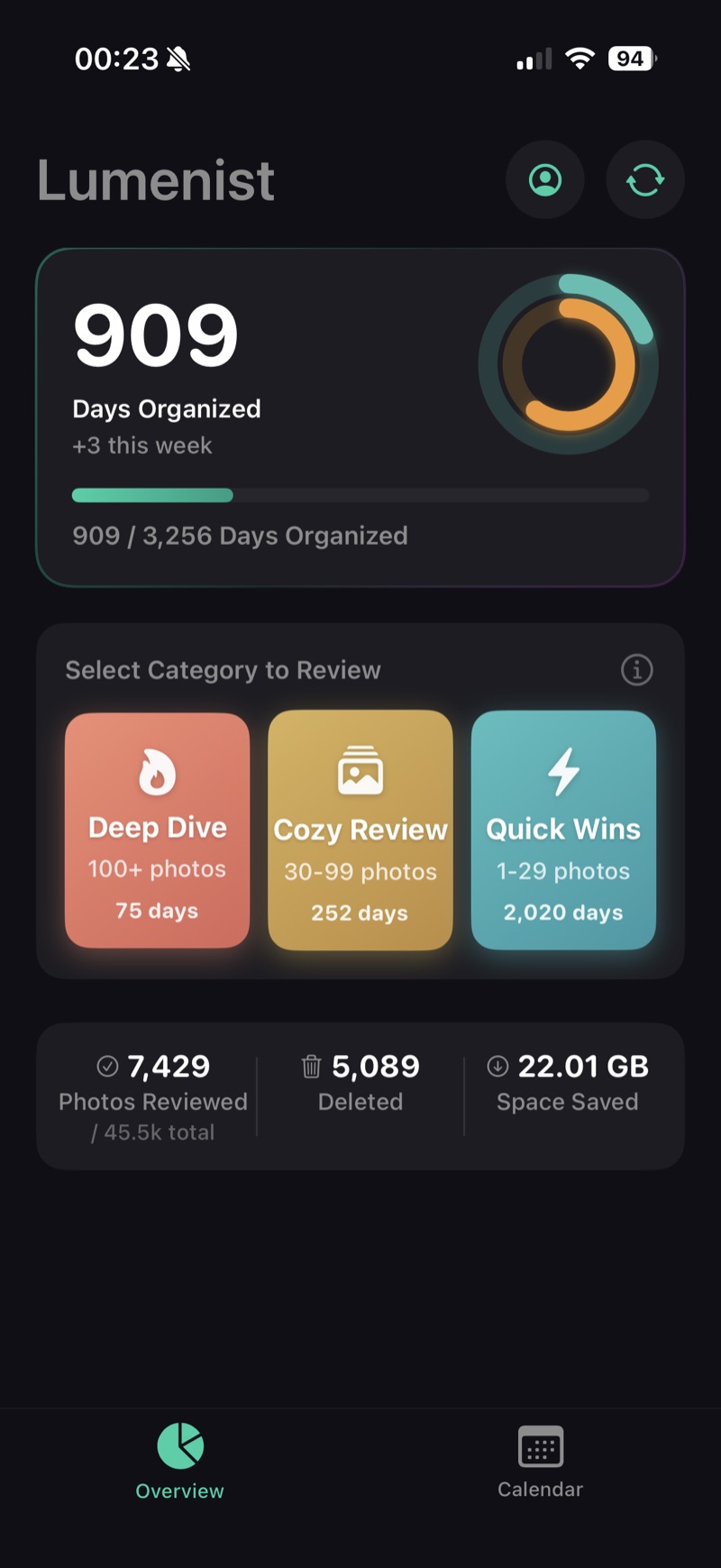
Lumenist breaks your iPhone photo library into small review sessions. Compare similar shots, choose what to keep, and organize your favorites into albums—with progress saved as you go.
Have two minutes? Start with a small day.
One day reviewed is progress
Waiting at school pickup or sitting in a lobby? Open a day with just a few photos. Choose your keepers, favorite the moments you love, and add them to albums. Mark the day reviewed when you’re done. Lumenist remembers your progress for next time.
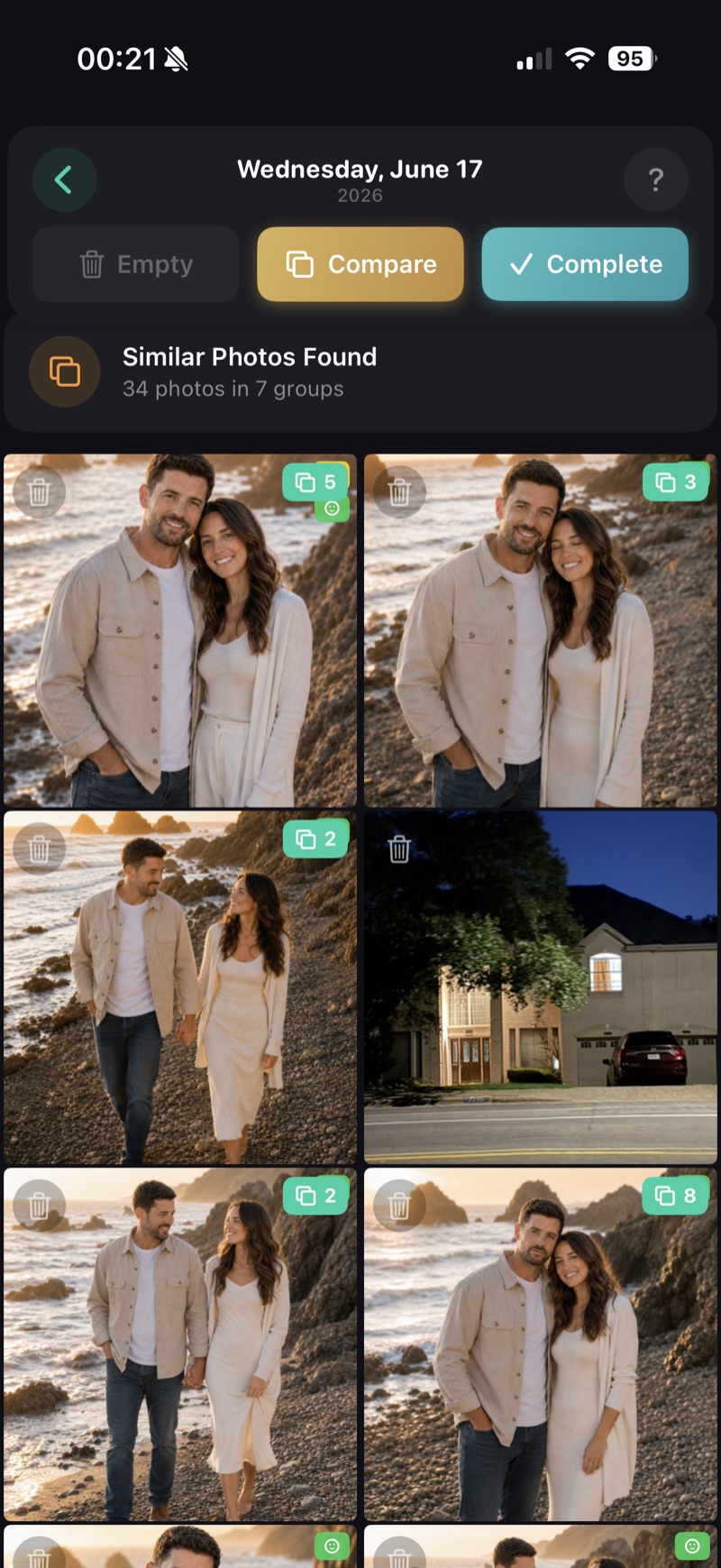
Pick a day to review, organize the photos you love, and compare similar shots when you need a closer look. You can skip freely, stop halfway, or keep everything.
Have a spare minute? Pick a Quick Win for a day with fewer photos. Choose a Cozy Review or Deep Dive when you have more time.
Favorite the moments you love and add photos to albums as you review. Mark the day complete when you’re happy with it.
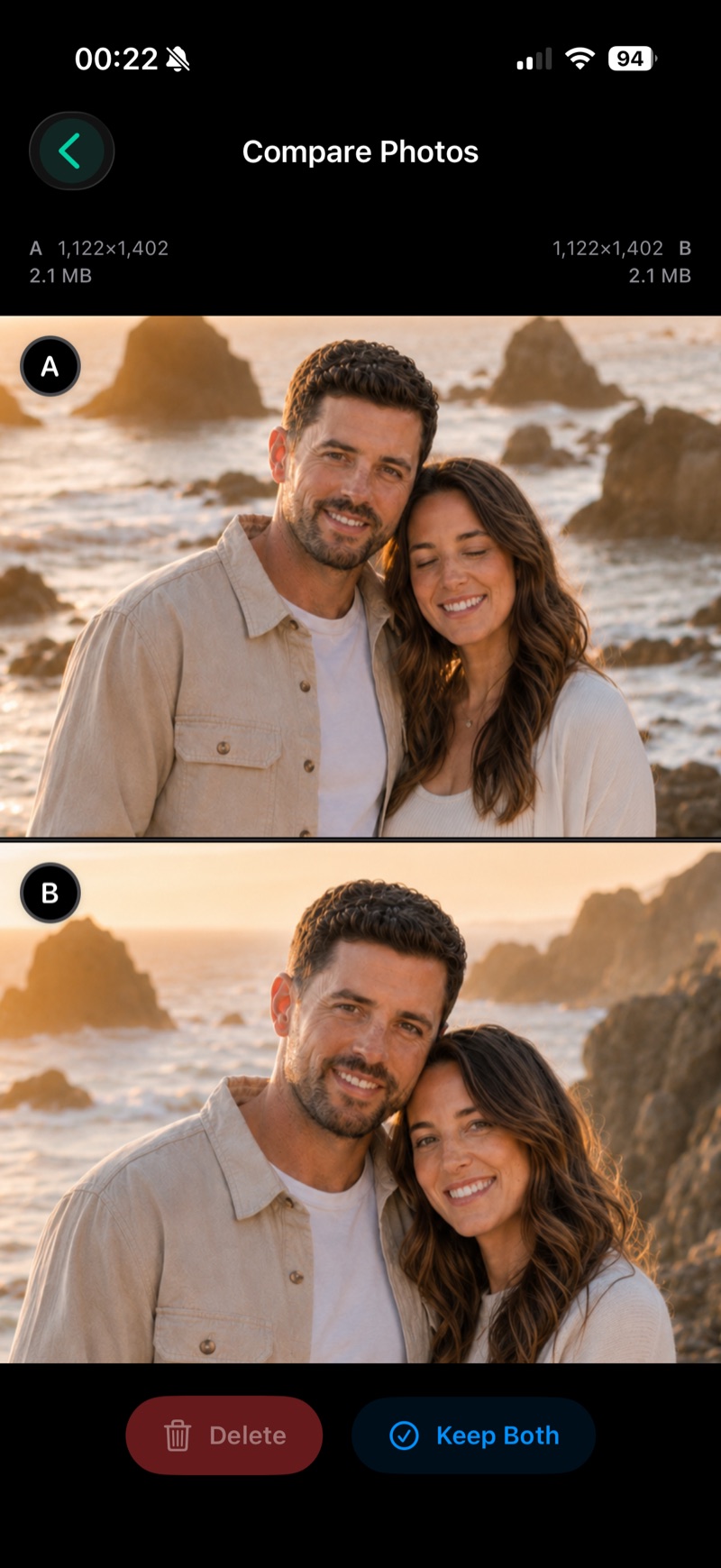
Compare two photos side by side. Pan or zoom both at once to check expressions and small details, then decide what to keep.
Turn a library you’ve been putting off into a few decisions you can make today. Lumenist helps you compare, organize, and keep track of what you’ve already reviewed.

The app is kind of addictive - I didn’t notice I’d spent an hour in it. It brought back great memories from random periods of my life. I love the raccoon, and the achievements are fun.
I tried about ten photo organizer apps, and nothing worked for me besides this one. No AI can tell me which picture is important to me and which is not - that’s personal, and I want to decide.
I finally made progress without feeling overwhelmed. It was a better use of two minutes than doom scrolling.
Start with the question on your mind: freeing space, making a backup, or finding a calmer way to organize.
Understand iCloud, protect your originals, and choose the right way to make space.
Connect your drive, copy a month, and check the files before putting them away.
Use albums, Favorites, and small review sessions to find the photos you care about.
Get to know Lumenist before your first review.
Lumenist gives you a place to start when your photo library feels overwhelming. Review one day at a time, compare similar shots side by side, and keep track of the days you’ve already handled.
Start with a Quick Win. Lumenist opens an unreviewed day with fewer photos, so you can make progress in a short session. Choose a Cozy Review or Deep Dive when you have more time.
No. You decide what to keep and what to delete. Lumenist groups similar photos and can offer clues like smiles or blur, but it never makes the decision for you. You can keep every photo and still mark a day reviewed.
Yes. Open two photos side by side, then pan or zoom both at once to compare expressions and small details. You choose the shot that matters to you.
Yes. You can favorite photos and add them to albums while reviewing a day. It’s a way to organize the moments you love as you find them.
No. You can stop halfway or skip a day. A day only leaves your review queue when you mark it complete, and completed days stay in your history so you can see your progress.
Lumenist processes your photos on your iPhone and does not upload them to its servers. Limited account information and usage statistics are handled separately, as explained in our privacy policy. Read our privacy policy.
Lumenist is free to try. A subscription is required for unlimited use. You can review the available subscription options and pricing in the app before subscribing.
Still have a question? Get in touch.
Download Lumenist for iPhone, choose a Quick Win, and start organizing. Every day you review is progress you can come back to.
 Available for iPhone.